Reorder Point Formula: The Simple Calculation for Stockrooms and Service Trucks
What Is A Reorder Point?
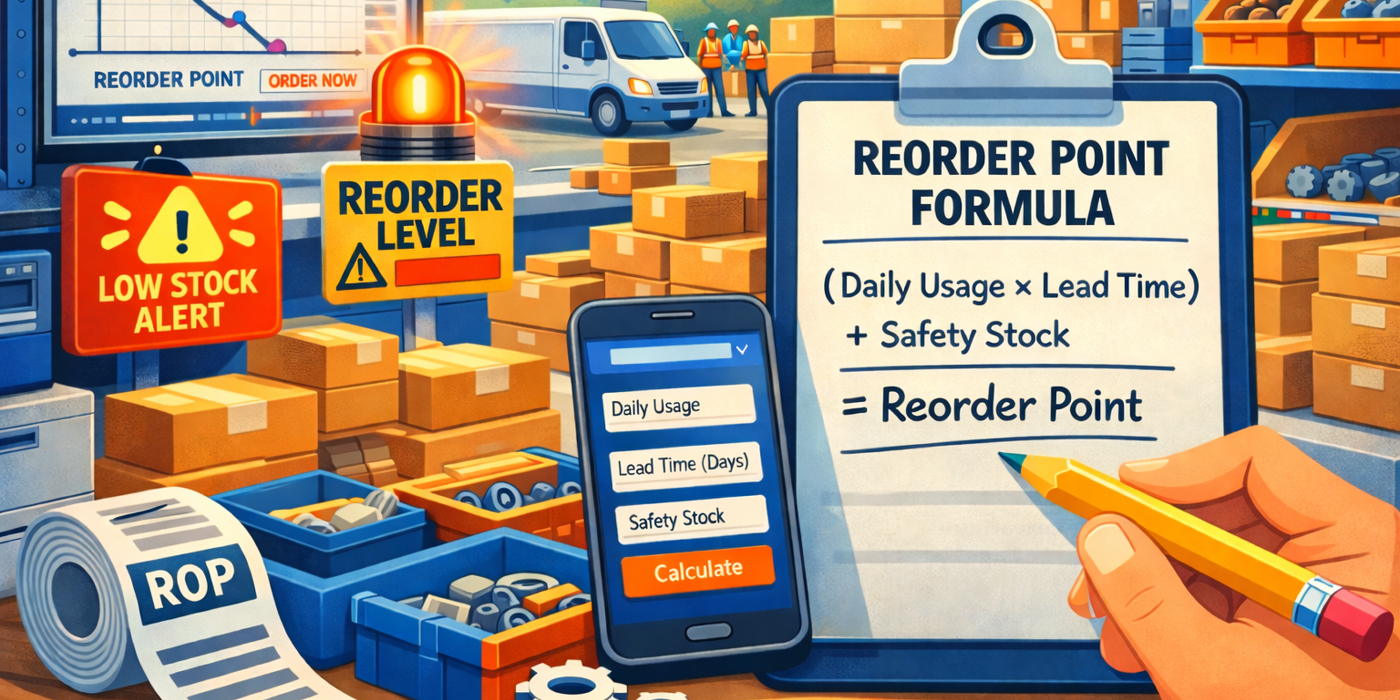
A reorder point is the inventory level where you should place a new order (or replenish a bin) so you receive stock before you hit zero.
In plain terms, it is your “order now” line.
When You Should Use A Reorder Point
Use reorder points when:
-
You restock the same items repeatedly (consumables, parts, PPE).
-
Lead time is not instant.
-
You manage items in multiple point-of-use locations (stockroom plus trucks, jobsites, or cages).
-
Stockouts cause downtime, missed jobs, or emergency runs.
If you are tracking point-of-use inventory across trucks and stockrooms, you can do data-driven auto-replenishment with optimal reorder points by using eTurns TrackStock.
Reorder Point Formula
The Formula
Reorder Point (ROP) = (Average Daily Usage × Lead Time in Days) + Safety Stock
What Each Variable Means
-
Average Daily Usage
How many units you typically use per day. -
Lead Time in Days
Days from when you reorder to when inventory is available to use. -
Safety Stock
Extra buffer for variability in demand or lead time (a safety stock calculation is how you decide the size of that buffer).
Quick Example With Real Numbers
-
Average daily usage: 4 units/day
-
Lead time: 7 days
-
Safety stock: 10 units
ROP = (4 × 7) + 10 = 38
When your on-hand hits 38, you reorder.
If you want a quick “plug-in-the-numbers” version, use the reorder point calculator below and then compare your result to a min/max approach like the one explained in The Benefits of Min/Max Inventory Management.
Reorder Point Calculator
Loading calculator…
How To Choose Your Inputs
Average Usage Rate
Use actual usage, not “what you think we use.”
Best practice:
-
Pull the last 30–90 days of usage.
-
If the item is seasonal, use the relevant season.
-
For trucks, calculate usage per truck, not company-wide.
If you are building a simple inventory math foundation for your stockroom, this guide to inventory formulas and ratios pairs well with reorder point planning.
Lead Time In Days
Lead time should reflect reality, including:
-
Vendor processing time
-
Shipping time
-
Receiving time
-
Put-away time (if it delays availability)
If you support a service fleet, lead time issues hit trucks harder because a single missing part can derail a route. This is exactly why service operations often formalize replenishment workflows with Service Truck Inventory Management apps even if they can’t afford a larger fleet management software solution.
Safety Stock Buffer
Safety stock exists because real life is messy:
-
Demand spikes happen
-
Lead times slip
-
Counts are not perfect
If you are doing reorder points manually, safety stock is often a practical buffer.
If you use a data-driven replenishment system that learns usage and recommends min/max levels, many teams rely less on a fixed manual safety stock number and more on optimized min/max settings driven by real consumption. You can see how that optimization is handled in eTurns’ Min/Max Tuning Dashboard and in overviews of automated supply replenishment systems.
5 Common Reorder Point Mistakes
Using The Same Lead Time For All Items
Not everything ships the same.
-
Local supplier: 1–2 days
-
Specialty part: 2–6 weeks
Using one lead time inflates inventory for some items and causes stockouts for others.
Basing Usage On Incomplete Counts
If your counts are wrong, your reorder point becomes fiction. The fastest way to keep reorder points accurate is tightening your count process, and eTurns’ mobile scanning app supports structured cycle counts so you don’t skip counting and item and your on-hand levels match reality.
One of the fastest ways to clean this up is improving your cycle count process so usage and on-hand stay aligned. Start with the practical tips in Cycle Counting Methods: 4 Tips for Greater Efficiency.
Setting One Reorder Point For Every Item/Location
An item in a stockroom bin and a service truck bin should not share the same reorder point.
Set min/max based on the usage of the item at that location. If you are scanning bins, systems like TrackStock can capture details at the bin level (including bin location) and apply min/max settings as part of the replenishment process. For a simple baseline, see Set Min/Max Levels and the scanning workflow in Replenish.
Treating Safety Stock As a Permanent Fix
Safety stock is a tool, not a solution for messy inputs.
If your usage data is noisy or your replenishment process is inconsistent, piling on safety stock can hide the real problem while tying up cash. If you want a clean comparison of what benefit you can get from automating the process, see Manual vs. Automated Inventory Management.
Having Safety Stock Be Greater Than 0
If you are managing reorder points manually, safety stock can be a practical buffer.
If you use eTurns, adding manual safety stock on top often leads to overstock because the reorder point logic is already driven by real usage and replenishment behavior. In that scenario, keep safety stock at 0 and let the system’s data-driven reorder point do the buffering.
Quick Setup Checklist
Start With Your Top 20 Critical Items: Fastest Turning or Most Expensive
Start where mistakes hurt most:
-
Highest usage items (most likely to stock out)
-
Highest cost items (most likely to overstock)
-
Items that stop work if missing
If you are in contracting or field service, these “critical 20” are usually spread across job sites and trucks, which is why teams centralize replenishment across locations. See Contractor Inventory Management Software for examples of how that is structured.
Review Monthly And After Big Changes
If you are doing reorder points manually, review:
-
Monthly
-
After major changes (new route, season change, vendor change, customer growth)
If you use automation such as TrackStock SensorBins, a smart shelf sensor solution, (scans, eLabels, or sensors), your reorder points will be kept dynamically optimized based on actual usage.
FAQs
What If Demand Is Inconsistent?
When demand is inconsistent, static reorder points break fast.
Inconsistent demand is where automated replenishment shines because it is designed to track point-of-use activity and keep min/max levels aligned to actual consumption. A good starting point is understanding how automated supply replenishment systems use usage and lead time to drive replenishment decisions.
How Often Should I Update Reorder Points?
-
If you are using a manual process: monthly, plus after major operational changes
-
If you are using an automated process: it happens automatically and is driven by data (especially when using min/max analytics like the Min/Max Tuning Dashboard)
Should Trucks Have Different Reorder Points Than Stockrooms?
Absolutely.
Reorder points should reflect how that specific location uses the item:
-
A service truck may use parts unpredictably based on calls.
-
A stockroom may have steadier demand and larger replenishment quantities.
If you manage truck inventory, the simplest way to avoid “one-size-fits-all” levels is to build separate replenishment rules by location, which is core to how service truck inventory management is typically run.