What Automated Inventory Management Technology Should I Choose for My VMI or CMI Stockroom?

A distributor rep called me last month with a good problem: a customer had money to spend on stockroom automation and wanted to move fast. His question was simple. "Which one do I sell them: scanning, RFID, weight sensors, eLabels, BoxLock, or a vending machine?"
He wasn't wrong to ask. He was just asking it in the wrong order.
None of these six technologies is universally right. Each one trades cost against automation against control in a different way, and picking the wrong one for a given stockroom means you either overpay for automation nobody needed, or underdeliver on the one thing that actually mattered to that customer. This edition walks through all six, and how I'd decide between them.
Start With What You're Actually Solving For
Before recommending a technology, I always ask them to name the actual problem first. Is it labor: too many hours spent counting? Is it stockouts: can this location never run dry? Is it accountability: do you need to know exactly who took what? Or is it just cost: can this customer justify hardware at all?
Each of the six options below answers a different one of those questions best. None of them answers all four perfectly.
Scanning App: The Default Starting Point
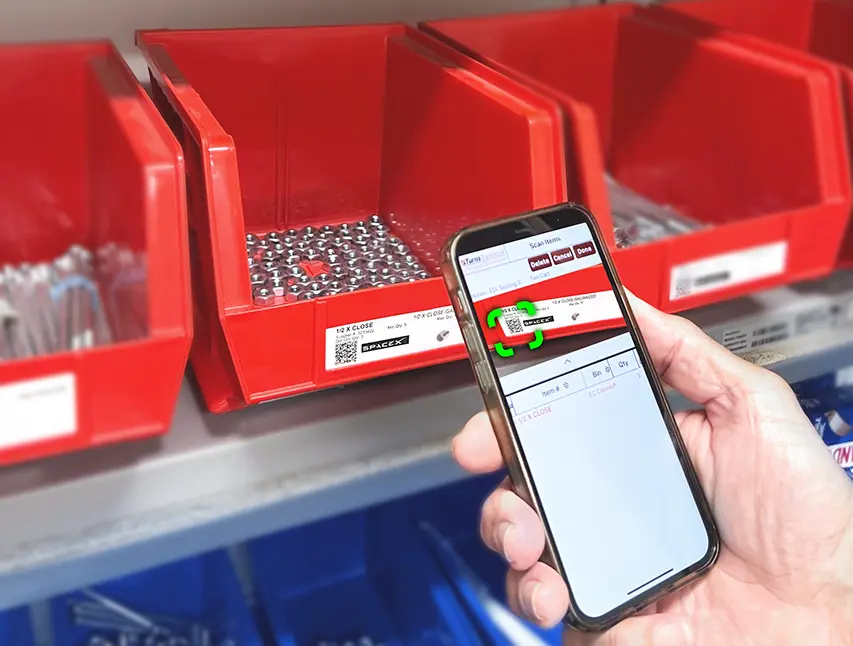
A worker scans a QR code or barcode with their phone to order, count, check out, or consume an item. The scan sends the order through automated inventory management software that would do integrated ordering back to the distributor. This is the lowest-cost, fastest-to-deploy option, and it works in almost any stockroom: construction jobsite, MRO crib, service truck, doesn't matter.
Its one dependency is the worker actually doing the scan. For most stockrooms, that's a fine trade. For a handful of environments (high-volume, high-turnover, workers who won't reliably pull out a mobile device), it isn't. That's where the next two options earn their cost.
Electronic Shelf Labels (eLabels): Self-Service Without an App
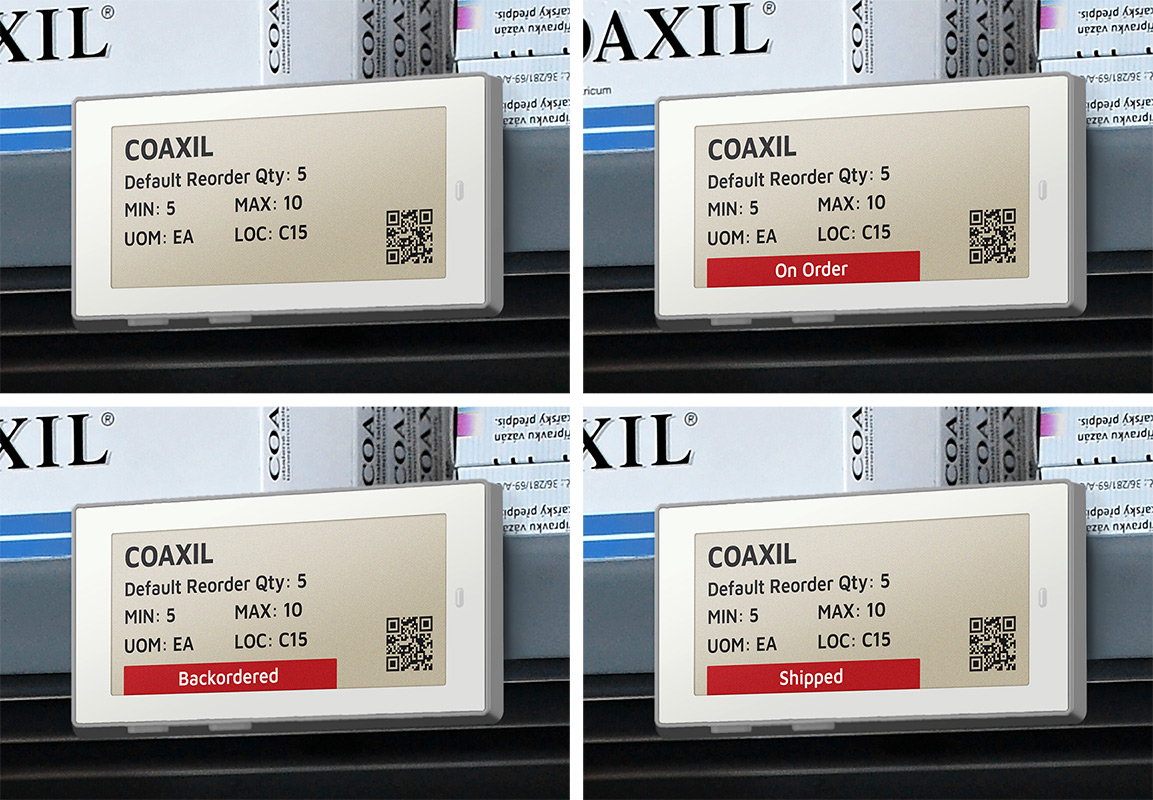
Sometimes the fix isn't removing the scan step. It's removing the mobile device entirely. An eLabel attaches to the front of a bin and does one thing: when the customer presses the button, it fires a reorder straight into the distributor's ERP. No app, no login, no scanning.
That's the appeal for customers who like the idea of a managed inventory program but want a say in exactly when a reorder happens. It's also why the eLabel market isn't a novelty anymore. It was valued at $2.34 billion in 2024, and MarketsandMarkets projects it will nearly double to $4.18 billion by 2029, as price-tag technology built for retail shelves finds a second life in industrial and healthcare stockrooms.
TrackStock's eLabels display live order status right on the label: "On Order," "Backordered," "Exception: See Ops," or "Shipped." The logic also prevents duplicate orders if someone presses the button twice while waiting. That detail mattered enough to a Silicon Valley phone manufacturer that they deployed our eLabels across their in-house medical clinics, including refrigerated bins, so practitioners could reorder supplies with one press instead of logging into an ecommerce portal or writing anything down.
The tradeoff is that eLabels only ever do one job. They don't count, they don't weigh, they don't scan anything. They just signal intent. That makes them the right fit when the problem is friction, not visibility. Sizes run from 1.6 to 11.6 inches, priced roughly $9–$150 depending on size, and most run 10 years on a single battery, which puts eLabels well below the cost of anything else on this list for a stockroom that just needs a reliable push-button order trigger.
RFID BinBox and RFID Tower: Removing the Scan Step Entirely
The RFID BinBox Solution is an RFID reader built into a large rectangular box mounted above a rack of tagged bins. When a bin runs empty, the worker drops it into the BinBox. That motion alone (no app, no scan, no data entry) fires the replenishment order instantly.
See it: BinBox demo, where a bin drops into the reader and the order fires in real time.
RFID Towers use a freestanding tower reader built for the classic two-bin kanban: wave the empty front bin past the Tower, pull the full rear bin forward, and the cycle repeats. The Tower reads the RFID tag and triggers an automated order from the distributor of record. Both versions take human error out of the trigger entirely. You're paying more in hardware for that, but you're buying certainty that the reorder happens the moment it should, not whenever someone gets around to it.
Weight Sensors (SensorBins): Automation With Zero Human Action
SensorBins go a step further than RFID: IoT weight sensors sit under each bin and continuously convert weight into quantity. When quantity drops below the minimum, the software fires the replenishment order automatically: no scan, no bin drop, nothing for a person to do at all.
That makes SensorBins the right call for items that genuinely cannot stock out: medical supplies, manufacturing consumables, anything where an empty bin means a real operational problem. They also work well for VMI customers in remote locations a distributor can't visit often; the sensor does the checking so nobody has to drive out and count.
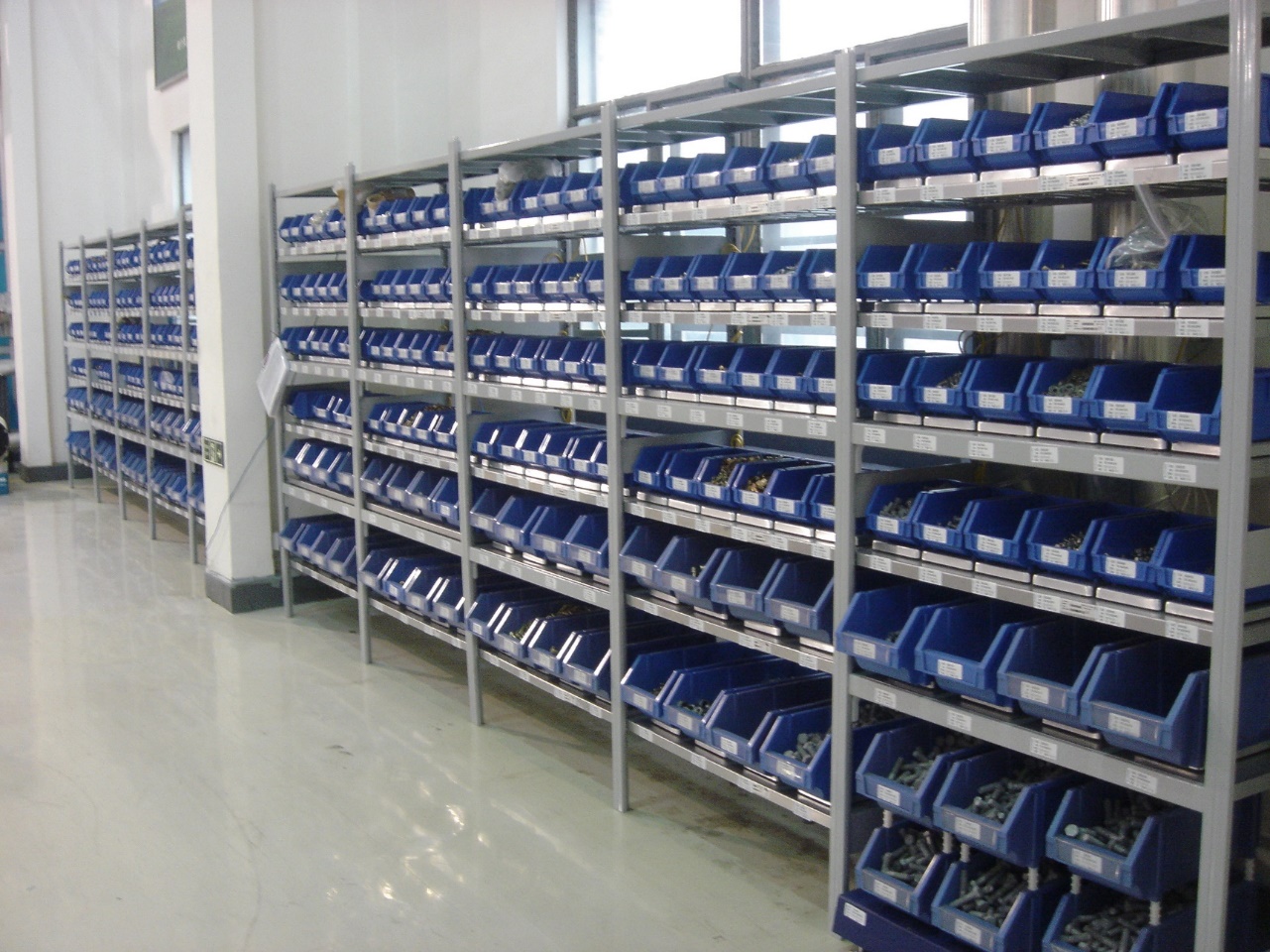
The practical limits: SensorBins handle parts between .012 ounces and 3,200 pounds, and fit up to 48 bins on a standard 7ft x 4ft, six-shelf rack. And per our own numbers, they cost roughly 15% of what an industrial vending machine runs — a comparison that usually settles the conversation on its own.
BoxLock: Controlled Access Without the Vending Price Tag
Vending machines solve accountability by putting a computer between the person and the part. BoxLock solves the same problem with a padlock.
These are ruggedized locks with a built-in barcode scanner. The lock only opens when someone scans a valid barcode or uses the eTurns app, and every open gets logged (who accessed it, where, and when), with intrusion alerts and geo-location if someone tries to force it. We see BoxLock used most often in two settings: construction sites, where a locked connex or cage of consigned material needs some record of who took what, and specimen logistics, where chain-of-custody matters as much as the item itself.
The honest comparison is to vending. A vending locker with equivalent tracking runs $15,000–$20,000 upfront. A BoxLock installation is a fraction of that, because you're paying for a smart lock, not a dispensing mechanism. What you give up is granularity: BoxLock tells you who opened the cage and when, not exactly how many units they took. If that's precise enough for the accountability need, BoxLock gets you there for a lot less money.
Vending Machines: Maximum Control, Maximum Cost
Vending is the one technology on this list that isn't really about replenishment speed — it's about controlled access at the unit level. An employee swipes a badge or enters an ID, and the machine tracks exactly who took what, how much, and when. You can cap quantities per person, restrict access by shift, or set dollar limits.
That's a real capability nothing else here matches. It's also expensive: $15,000–$20,000 per locker or cabinet, plus ongoing maintenance, plus a hard limit on how many SKUs fit in the available slots. Vending earns its cost when the items stored are high-value enough that unit-level accountability matters more than saving on hardware.
How I'd Match the Technology to the Stockroom
-
Default to a scanning app unless something specific rules it out. It's the cheapest, most flexible option and covers most stockrooms fine.
-
Move to eLabels when the customer wants self-service control without an app, especially for CMI programs or locations where a push of a button is all people will reliably do.
-
Move to RFID BinBox for high-volume stockrooms, jobsites, and MRO cribs where workers won't reliably scan, or where orders need to auto-split across multiple suppliers.
-
Use RFID Tower for a straightforward two-bin setup, receiving dock logging, or a VMI/CMI program that needs a shared, reconciled set of books with the customer.
-
Go to SensorBins when the item truly cannot stock out, or when the location is remote enough that even a bin-drop is one action too many to count on.
-
Use BoxLock when you need to know who accessed a cage or cabinet and when, but don't need per-unit dispensing control.
-
Only go to vending when unit-level controlled access is the actual requirement, and the stored items are valuable enough to justify $15K–$20K a locker.
The Bottom Line
The best VMI providers don't sell one technology, they match the right one to each stockroom's actual problem. A scanning app solves labor. eLabels solve self-service. RFID solves speed and error. SensorBins solve zero-touch reliability. BoxLock solves lightweight accountability. Vending solves accountability at scale. Knowing which problem you're actually solving is most of the decision.
See how TrackStock's full technology suite fits together → Start a free trial or get a free VMI assessment to get our help in finding the inventory technology option that best fits your stockroom.